
Rearranging your appointment

The NHS App gives patients a simple and secure way to view and manage information about hospital appointments in one place.
Depending on the appointment, you may be able to view appointment details, receive messages, receive digital letters and request to change or cancel appointments.
This page explains what you can do in the NHS App, how to find your outpatient appointment information, and what to do if something does not look right.
Not all appointment information or options will be available for every patient or every service. If you cannot see an appointment in the NHS App, there will be a reason for this. You do not need to contact us about this. We are working on uploading more services onto the App so please be patient with us.
Patients aged 16 and over can use the NHS App to access hospital appointment information where this is available from their healthcare provider.
For outpatient appointments, the NHS App may allow you to:
The information shown in the NHS App may vary depending on the hospital service and the patient portal used by the Trust.
Open the NHS App and go to your appointments area. Select the option for hospital and specialist appointments to view information that has been shared with the NHS App.
If more information is available, the NHS App will take you securely to our patient portal, which is provided by Health Call. You may be asked to agree to the service’s privacy information before viewing your details.
You may see details such as the appointment date, time, location, clinic information and contact details.
For some appointments, you may be able to request a change or cancellation through the NHS App. This depends on the type of appointment and whether the hospital service offers this option. Some services featuring appointments have this option turned off.
Please be aware that your appointment is not changed or cancelled until this has been reviewed and confirmed by the hospital.
If you cancel an appointment, you may not always be able to change your mind afterwards.
Some services may share appointment letters, documents or messages through the NHS App.
Where available, appointment letters will be shared through the NHS App so patients can view them quickly and securely in one place. As part of our commitment to moving to digital and accessible patient communications, you may not receive a paper copy of your letter.
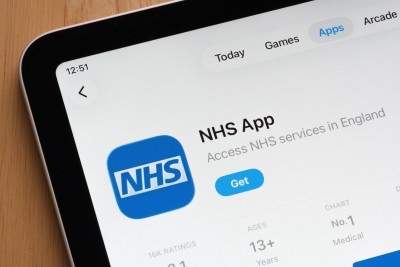
You can download the NHS app at:
You can use the NHS App on a smartphone or tablet, or access NHS App services online through the NHS website.
You will need to log in with NHS login. Some services may require you to prove who you are before you can see appointment information.
The NHS App allows you to access your appointment information as soon as the appointment is booked. You can also request to change or cancel your appointment. If you think this will benefit you, it would be worthwhile to download the app.
Some services do not share all appointment information in the NHS App. Your appointment may not appear if the hospital service has not made that information available yet. We are working hard to put more services onto the App and will keep you updated on progress.
If your appointment looks wrong or you are unable to request a change or cancellation, please use the contact details on your appointment letter or contact the hospital department directly.
If you need help using the NHS App, visit NHS App help on the NHS website or ask someone you trust to support you.
